【Friendly for kids and beginners】: Optical flow positioning allows the lower camera to accurately capture the ground or any object, keeping the drone in a hovering state. Precise height lock allows the drone to stably capture wonderful photos and videos, making it very suitable for beginners and photographers. When you press the One Key Start/Stop button, the drone will hold a height of 1.5 metres, without drifting or losing control.
【1080P camera】: You can see in real time what the camera sees through the Phone app, without any delay or freezing. Image transmission reaches up to 328 feet. In addition, the camera can recognise gestures, allowing you to capture photos or videos with a simple gesture (such as a palm gesture or making a fist).
【Automatic obstacle avoidance mode】: Automatic three-way obstacle avoidance function. When activated, the drone is able to sense obstacles in front, on the left and on the right. It can detect the distance to obstacles and avoid them in advance. When activated, the drone's speed will decrease and the fast speed mode will stop temporarily. Therefore, it is recommended to fly indoors when using this mode.
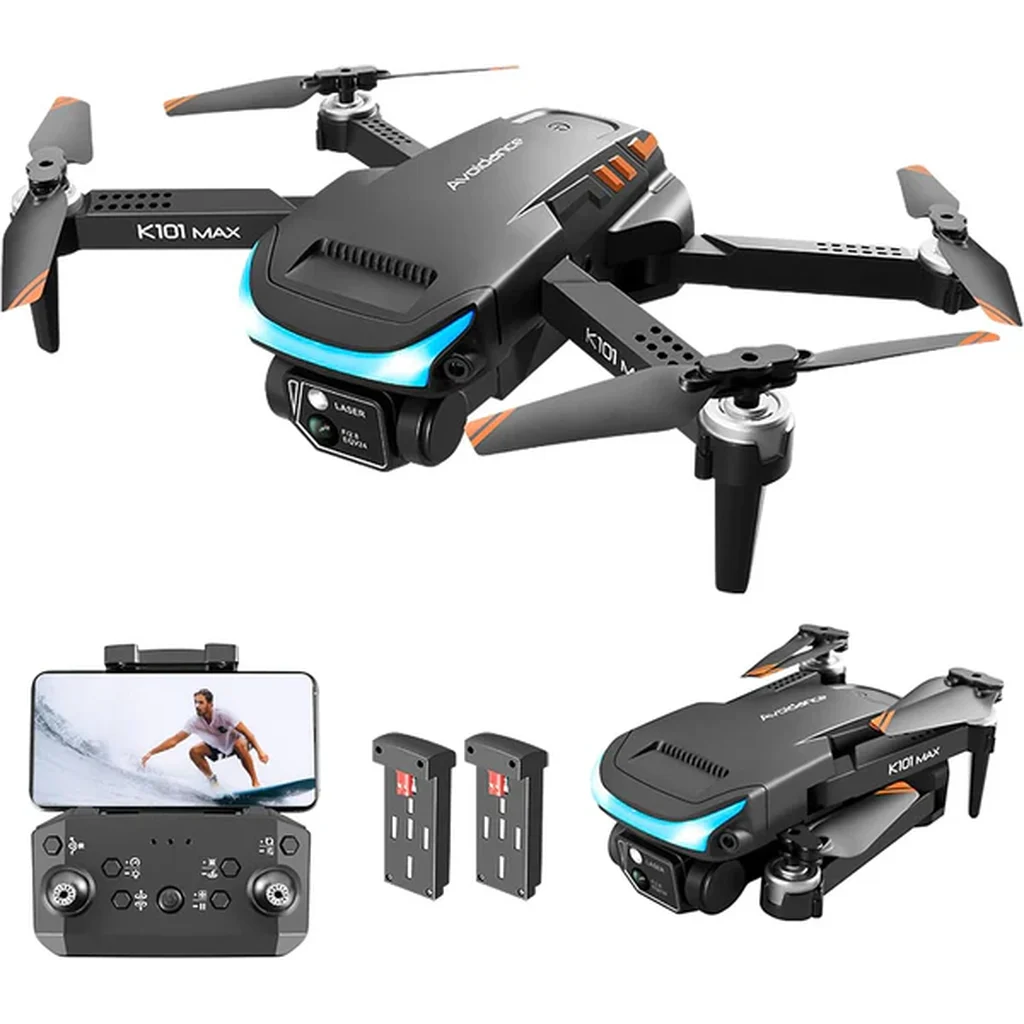
【Multifunctional & Add fun to flying】: This drone offers multiple functions, including 360° flips, fixed-point flight, gravity control, gesture photography, one-key take-off and landing, headless mode and an automatic three-way obstacle avoidance function. Its easy-to-use operation makes it perfect for beginners, and the LED lights enhance the flying experience, making it a fantastic drone toy gift for beginners.
【30-minute flight with 2 batteries】: Equipped with two 1800 mAh modular batteries (15 minutes per battery), you can enjoy a total of 30 minutes of fun flight time. It has a low-power alarm and takes one hour to charge. The batteries are easy to replace with a plug-and-play design.
【Note】: Before each use, calibration is required by pushing the left stick up and down to bind the drone, then pushing both sticks to the bottom right. Beginners are advised to use it indoors before venturing outdoors. When flying outdoors, please select an open area to avoid interference. Be careful not to fly too far to prevent losing control.