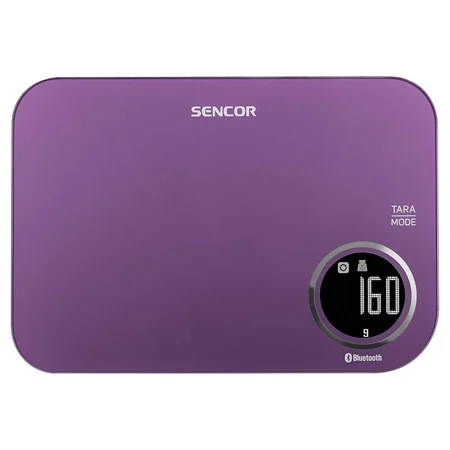
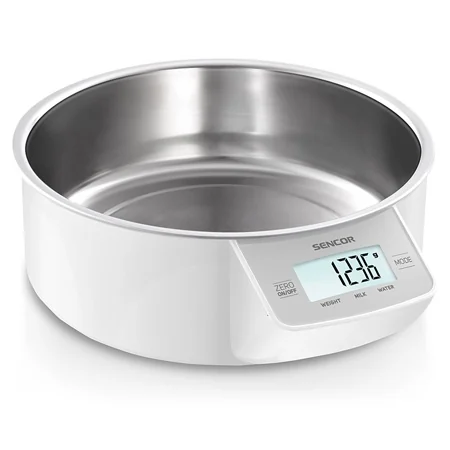
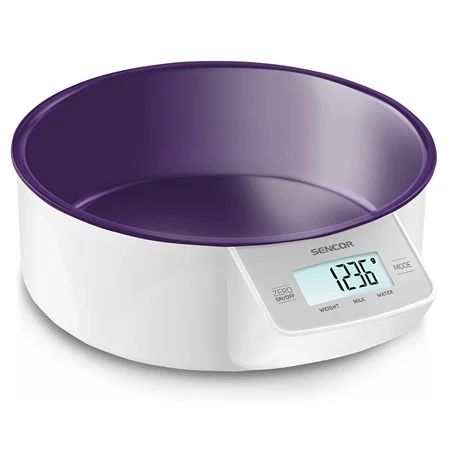
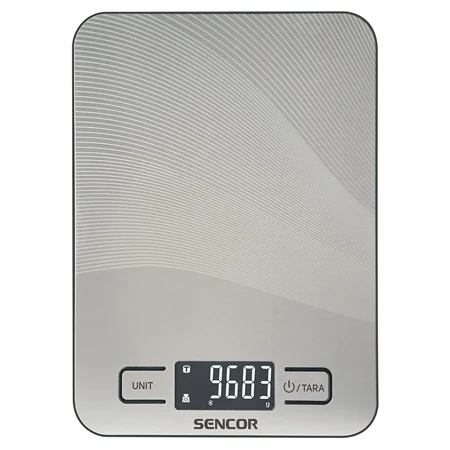
Smart Bluetooth kitchen scale Original Sencor FOOD app created in collaboration with the authors of Dine4Fit, with a rich food database Provides nutritional details for food intake (carbohydrates, proteins, fats, cholesterol, fibre…) LCD screen with white backlight Weighing range of up to 5 kg / 11 lb (accuracy of up to 1 g / 0.1 oz) This smart kitchen scale will help you keep perfect track of your calorie intake and individual nutritional components. It is connected to the best food database available, because the Sencor FOOD control app was developed in cooperation with the authors of the popular Dine4Fit app. Connecting the scale to your mobile phone via Bluetooth is incredibly fast, intuitive and easy. Almost immediately, you will see the measured weight on your smartphone screen (and it does not matter whether you prefer an Android or iOS device), then simply enter the product you are weighing to instantly see how much sugar, fat, energy etc. that food contains. SMART FUNCTION COMBINED WITH A PERFECT DESIGN This scale is part of the Sencor premium metal kitchen accessories range. There are 9 colour models to choose from to brighten up any kitchen. The large white digits on the illuminated circular display are very easy to read and well laid out, which is no surprise, as the digits are 2 cm high. SENCOR FOOD APP The scale is equipped with Bluetooth wireless technology, which, together with the free Sencor FOOD app installed on your smart device, provides direct access to an extensive, regularly updated database of ingredients and their nutritional values. The Sencor FOOD app was developed in collaboration with the creators of the Dine4Fit calorie counting app, designed for smartphones with the iOS operating system (version 13 and later) or the Android operating system (version 5 and later). When the app is used, the phone must be connected to the internet. The scale connects automatically to the phone when the app is started. For pairing to take place, it is enough for the Bluetooth function to be activated on the smart device. If the app does not find the scale, it will actively prompt you to try connecting again. Note: The scale can only connect to one mobile device at a time. If you have problems connecting, check that there is no other device within range that is actively connected to the scale. The Sencor FOOD app also searches for foods by scanning the EAN barcode. It is found on every package and is unique. This gives you maximum speed and elegance in use. In addition, you will always be sure that you have the nutritional data for the right food. THE APP OFFERS TWO WEIGHING MODES "On the scale" mode – displays the weight of the item currently being weighed. After you use the "Find ingredient" field to tell the scale which ingredient you are weighing, it will show you the nutritional value of the ingredient in relation to its currently measured weight. "List" mode – allows the aggregate nutritional value of several ingredients to be determined. This mode is suitable, for example, when preparing meals according to recipes. Place the ingredients on the scale one by one and, using the "Find ingredient" field, enter the type of ingredient. After you have determined the weight and type of the ingredient, use the "+ Add ingredient to list" button to add it to the aggregate nutritional value. Use the TARA/MODE button on the scale for additional weighings, as needed. Throughout the weighing, in "List" mode, the scale will continuously display the total weight of the ingredients and will calculate the value of the individual nutritional components (for example, how many grams of sugars in total are contained in the weighed ingredients). The Sencor FOOD app is connected to the Dine4Fit app. Once you have finished weighing, you can enter the ingredient into the Dine4Fit food menu with a single click and keep a long-term record of the food you have eaten (Certain advanced functions of the Dine4Fit app may be offered for a fee). SCALE SPECIFICATIONS Power source: 2 AAA batteries of 1.5 V Weighing range of up to 5 kg / 11 lb (sensitivity 1 g / 0.1 oz) Start-up method: applying pressure or weight to the weighing surface Automatic switch-off when idle Large, well-structured circular display with a displayed digit height of 2 cm 3 modes: Weighing mode / milk volume measurement mode / water volume measurement mode. Option to switch between metric (grams and millilitres) and imperial (lb:oz / fl’oz) units. TARE FUNCTION FOR ADDITIONAL WEIGHING OF FOOD Place an empty container on the scale. Its weight and the "O" symbol will be shown on the display. Press the TARA/MODE button to reset the value to zero. The "O" symbol will stay lit. Place the first ingredient in the container. Its weight will be shown on the display. Press the TARA/MODE button to reset the value to zero, and the "T" symbol will light up. The weight of the first ingredient will thus be stored in memory, and the scale is ready to weigh the next ingredient. Place the second ingredient in the container. Its weight will be shown on the display. Press the TARA/MODE button to display the sum of the weights of the first and second ingredients. Press the TARA/MODE button again to store the sum in memory, and the value on the display will be reset to zero. The "T" symbol will stay lit.